Bitget Copy Trading is a feature that automatically replicates the trades of other traders. While convenient for users who find it difficult to monitor charts constantly, it is not an automated investment product that guarantees profit. If the copied trader incurs losses, the follower’s account may also incur losses, and the actual execution price may differ from the trader’s due to slippage, liquidity, and order restrictions.
In 2026, Bitget’s new futures copy trading uses a dedicated copy account and offers Fixed Ratio and Fixed Margin methods, leverage settings, maximum slippage limits, trading pair selection, and stop-loss/take-profit management. These controls change order sizing and execution conditions; they do not establish that a trader or setup will be profitable or suitable for a particular user.
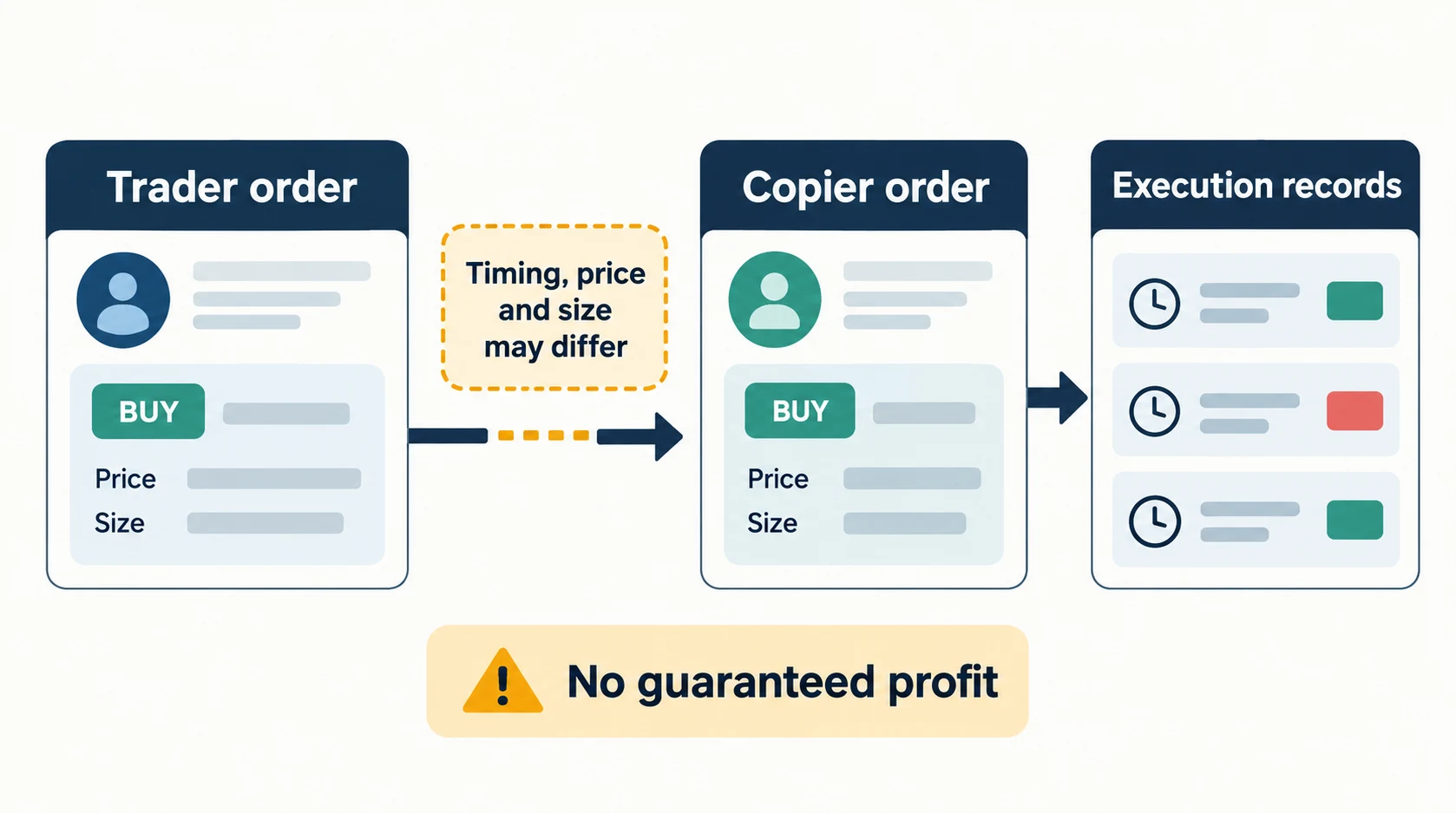
Key Conclusion: Review drawdown, open losses, leverage, holding time and your own copied-order records together. No ROI, star rating, copy mode or short trial establishes future profitability or a maximum realized loss. Do not treat the examples in this article as a recommendation to allocate or increase funds.
What is Bitget Copy Trading?
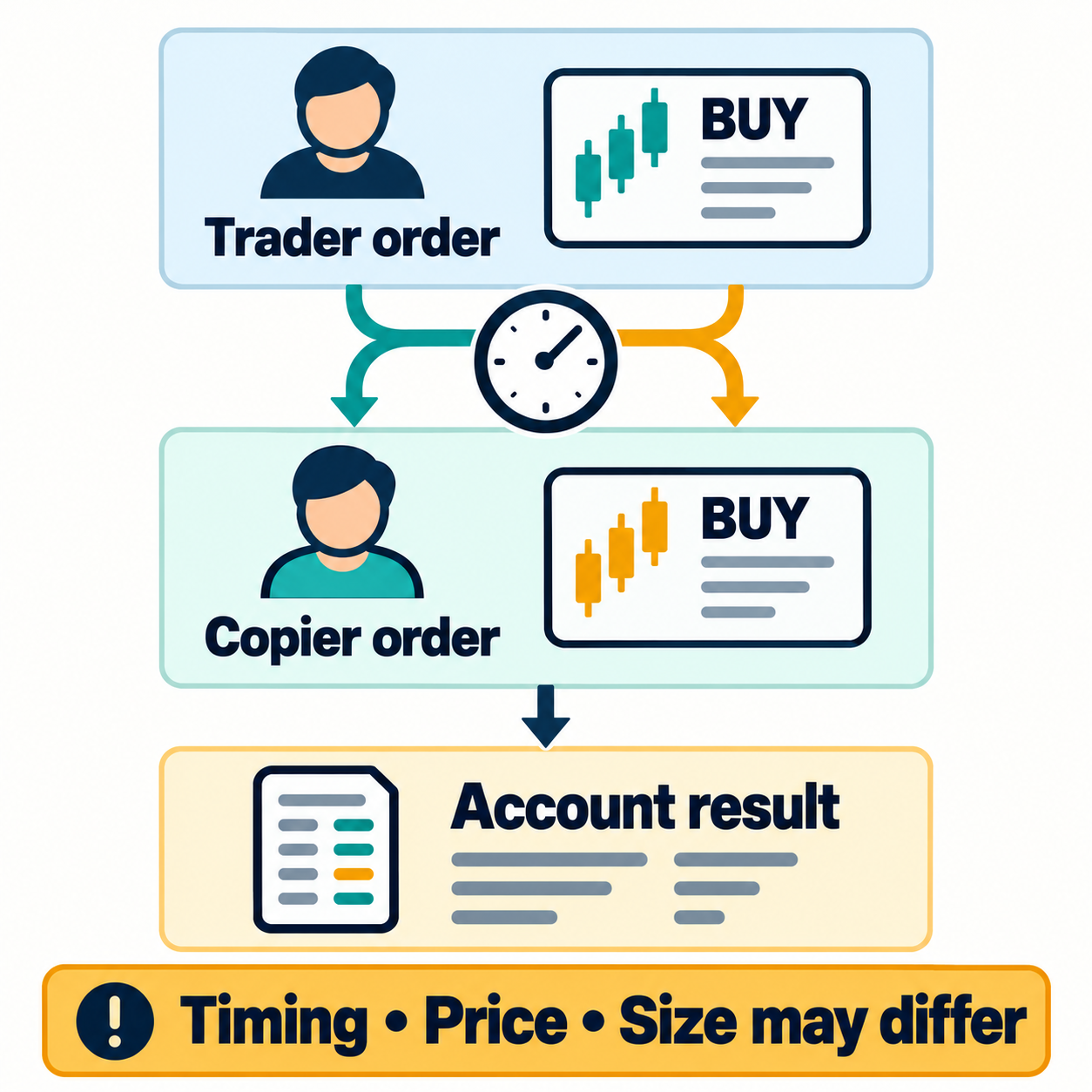
Copy trading is a structure where, when an elite trader opens or closes a position, a corresponding order is automatically executed in the follower’s account. Users do not need to decide entry points themselves, but this does not mean that orders are executed exactly the same.
- Futures Copy Trading: Replicates long and short trades based on USDT-margined futures positions.
- Spot Copy Trading: Replicates the spot buying and selling strategies of elite traders.
- Bot Copy Trading: Subscribes to and executes automated strategies created by elite bot traders.
Since futures copy trading uses leverage, it has higher profit/loss volatility and liquidation risks than spot trading. Beginners should first understand the meaning of futures margin, cross margin, leverage, and liquidation price before the copy feature itself.
2026 Bitget Futures Copy Trading Core Structure
| Item | 2026 New Futures Copy Trading Standard | Points for Users to Check |
|---|---|---|
| Dedicated Account | Copy trading funds are managed separately from the main account | Do not confuse copy account balance with general futures balance |
| Initial Transfer | Minimum 50 USDT based on official guide | Traders may specify a higher minimum amount |
| Copy Method | Fixed Ratio or Fixed Margin | Fixed Margin specifies margin per copied order, not a maximum loss |
| Margin Mode | Currently supports cross margin based on new guide | Cross margin means the entire account balance can be used to defend positions |
| Leverage | Follow trader settings or fixed 1-10x | Check to ensure you do not follow the trader’s high leverage |
| Slippage | Default 0.5%, setting range 0.1-3% | Too low may cause order failure, too high may lead to unfavorable execution |
| Profit Sharing | High Water Mark method applied to new net profit | No duplicate profit sharing occurs if past losses have not been recovered |
The above conditions are summarized based on the new futures copy trading structure disclosed in Bitget’s official support documentation. Since screens and detailed conditions may vary depending on the app version, account type, country, and trader settings, you must re-check the conditions on the order screen before actual trading.
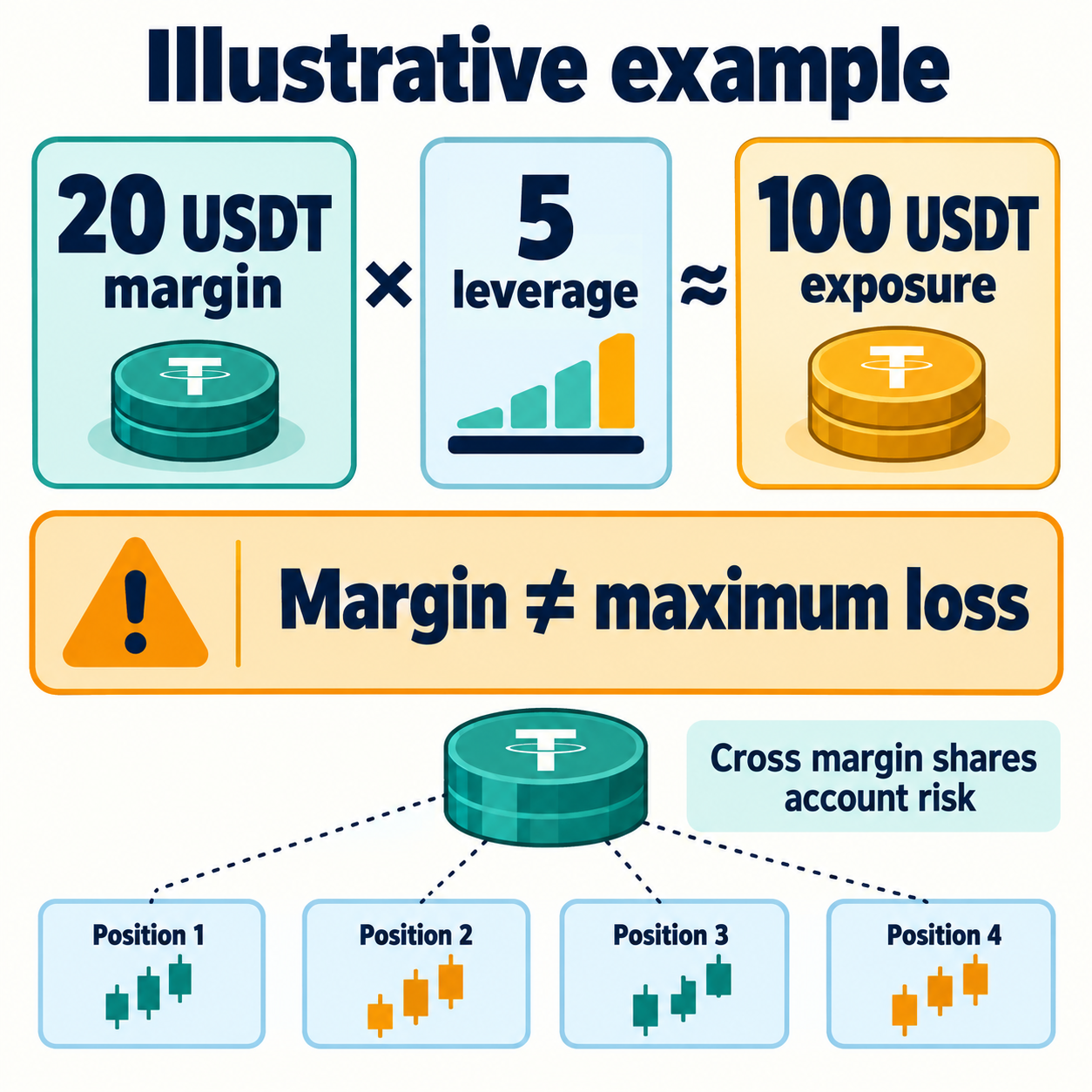
Fixed margin is not a loss cap. In the documented cross-margin setup, other positions, shared copy-account equity, fees and execution prices affect exposure and liquidation. A per-order margin setting or stop-loss does not guarantee a maximum realized loss. See Bitget’s official copier guide (checked October 23, 2026).
How to Start Bitget Copy Trading
Step 1: Access the Copy Trading Menu
In the Bitget app, go to Trade or Futures → Tools → Copy to enter the copy trading dashboard. On the web, you can select futures, spot, or bot copy trading from the top copy trading menu.
Step 2: Check Elite Trader Candidates
Check the ROI, win rate, follower profit, trading duration, and profit sharing ratio in the trader list. However, do not select immediately based on the ROI on the first screen; enter the trader’s profile to check position history and loss periods.
Step 3: Transfer Funds to the Copy Account
New futures copy trading requires moving funds to a dedicated account. The minimum initial transfer based on the official guide is 50 USDT, and if the selected trader has specified a separate minimum copy amount, that amount or more is required.
Step 4: Select Copy Method
Choose between Fixed Ratio or Fixed Margin. Depending on the copy method, the actual position size and loss magnitude will differ even when following the same trader.
Step 5: Set Leverage, Slippage, and Trading Pairs
Decide whether to automatically copy all supported pairs or select specific ones like BTC/ETH. Disabling automatic copying of newly listed pairs can reduce the risk of sudden exposure to highly volatile new coins.
Step 6: Check Execution and Account Records
Compare your own fills, realized and unrealized PnL, fees, profit sharing and rejected orders with the copied trader’s records. A short observation period can reveal execution differences but cannot validate future returns or justify increasing an allocation. There is no verified universal two-to-four-week testing period.
Comparison of Fixed Ratio and Fixed Margin
| Category | Fixed Ratio | Fixed Margin |
|---|---|---|
| How it works | Applies the ratio used by the trader from their assets to the follower’s assets | Uses a fixed USDT amount set by the user for each order |
| Pros | Uses proportional order sizing, subject to account and order constraints | Shows requested margin per order; actual loss depends on leverage, execution, costs and shared account equity |
| Cons | If the trader suddenly increases weight, follower exposure can also increase | Uses the same requested margin rather than matching the trader’s varying order proportions |
| What to check | Trader equity, order proportion, available funds and exposure limits | Requested margin, leverage, simultaneous positions and shared account equity |
| Loss limitation | The copied ratio does not cap realized loss | Fixed margin is not a guaranteed maximum loss |
| Suitability | No beginner-suitability score is established here | A simpler sizing rule does not establish lower product risk |
Fixed Margin states the margin requested for each copied order; it is not the same as position notional or maximum loss. As a simplified illustration, 20 USDT of margin at 5x leverage corresponds to approximately 100 USDT of position notional before costs and other constraints. These are hypothetical inputs, not suggested settings. Fixed Ratio instead uses proportional sizing. Neither method removes execution differences or cross-margin liquidation risk.
Trader Selection Criteria: 8 Things to Check Before ROI
1. Maximum Drawdown (MDD)
Maximum Drawdown is an indicator showing how much assets have fallen from their peak to their trough. Even if the ROI is high, if the MDD is excessively large, most accumulated profits can be wiped out in a single market crash.
2. Trading Duration
Check the displayed observation window, number of trades, missing history, open positions and market conditions covered by the record. A longer history gives more observations but does not establish skill or future returns. This article has no verified three-month minimum or six-month threshold that makes a trader trustworthy.
3. Loss Position Handling Method
A win rate of over 90% is not always good. It could be a strategy of holding loss positions for a long time or repeatedly averaging down to accumulate small profits, hiding one large loss. You must check if stop-losses actually exist in the trading history.
4. Average Holding Time
Scalpers are sensitive to execution speed and slippage. An elite trader might close with a profit, but the follower might have a small profit or a loss due to late execution. Conversely, long-term holders face risks from funding fees and sudden trend reversals.
5. Leverage
Check both the trader’s leverage and the leverage actually applied to your copied positions. The current official new-futures guide describes following the trader or choosing fixed leverage within 1x–10x; this is an available setting range, not a recommended range. Leverage changes exposure relative to margin, and even a low setting does not eliminate liquidation or execution risk.
6. Trading Assets
Execution stability differs between highly liquid assets like BTC/ETH and altcoins with low trading volume. Higher altcoin weight can increase displayed ROI, but slippage and crash risks also increase.
7. Difference Between Follower Profit and Trader Profit
Even if the trader’s own ROI is high, if the total follower profit is low, it could be due to execution differences, excessive trading frequency, slippage, or late following. If possible, you should view the actual profit/loss obtained by followers as more important than the trader’s profit.
8. Unrealized Profit/Loss and Open Positions
If only realized profit is high and large unrealized losses remain, performance may be overestimated. Traders who keep loss positions open for a long time may have stable-looking profit curves, but actual risks may be accumulating.
| Record | Check | Limitation |
|---|---|---|
| Drawdown | Measurement period, losses from the recorded peak and open PnL | Historical drawdown is not a future loss limit |
| Trading history | Number of trades, time window and missing records | No verified star score or three-/six-month approval threshold |
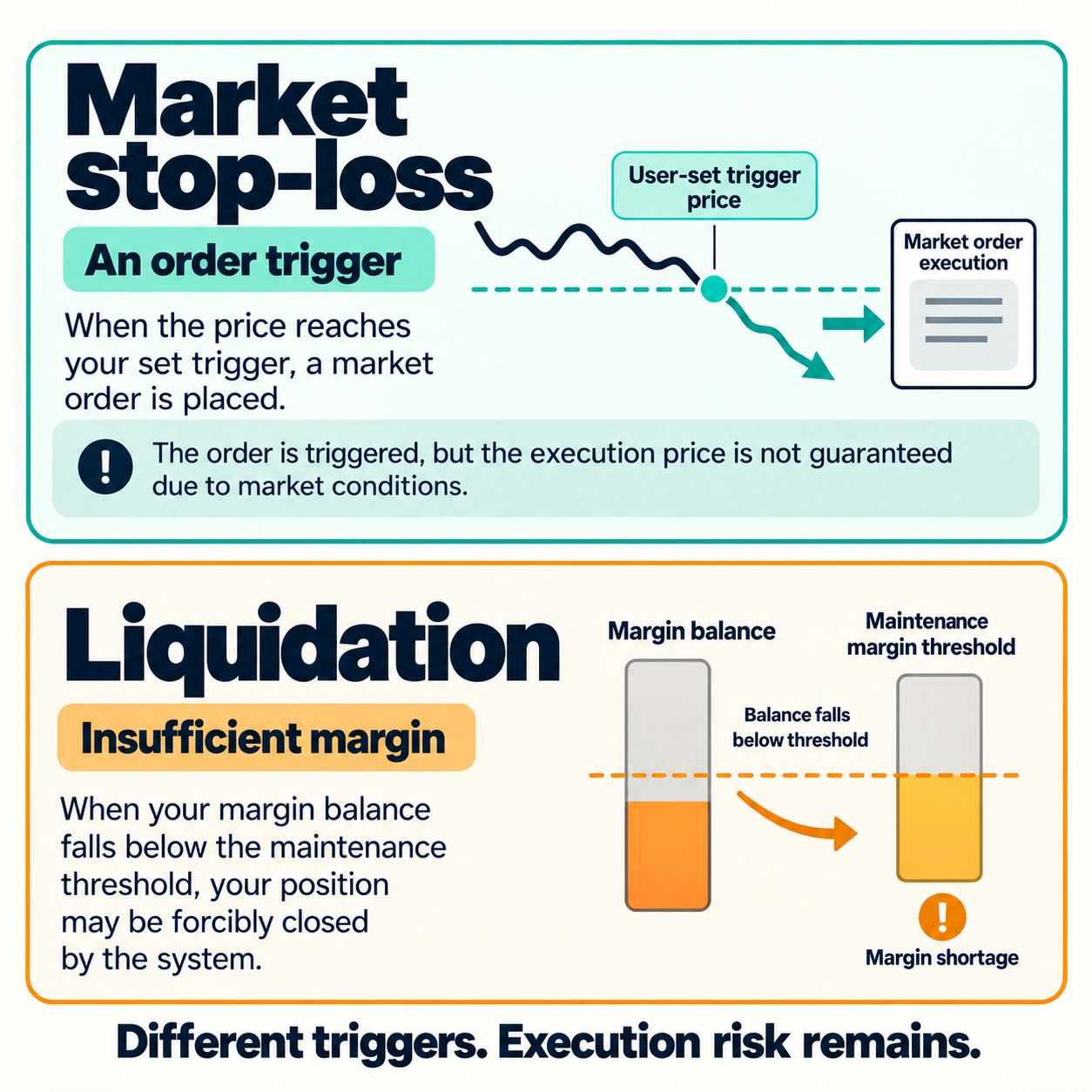
| Stop-loss history | Trigger type, execution records and unfilled orders | A trigger is not a guaranteed fill price or maximum loss |
| Leverage | Trader setting and actual follower exposure | An available setting is not a suitability recommendation |
| Follower PnL | Follower fills, fees and profit sharing over the same period | Lead-trader ROI is not the follower’s result |
| Win rate | Average gain/loss, open losses and sample size | A high win rate alone does not establish safety |
What Automation Does—and Does Not—Change
This section explains product mechanics and limitations; it is not a measured summary of user reviews or a report of personal trading experience. No verified review sample or survey supports the earlier claims about commonly reported benefits or reduced psychological burden.
| Feature | What can be checked | What is not established |
|---|---|---|
| Automated orders | Whether copied orders opened, closed or failed in your account | Automation does not establish beginner suitability or remove monitoring needs |
| Trade history | Displayed entries, exits, leverage and record period | Viewing trades does not prove a learning benefit or a replicable profitable strategy |
| Execution differences | Your fills, costs and PnL versus the trader’s records | Following a high-ROI trader does not ensure the same return |
| Changing exposure | Changes in leverage, assets and position size | A previous pattern does not constrain future trader decisions |
| Risk controls | Configured limits, triggers and actual execution | Settings do not prove lower stress, principal protection or a fixed loss cap |
Review evidence: Look for the stated period, starting capital, realized and unrealized PnL, leverage, costs and any affiliate relationship. Screenshots and individual accounts are not independently verified aggregate performance evidence. Claims of guaranteed profit or principal protection require scrutiny; this article does not verify such a guarantee.
Copy-Trading Settings: What to Verify
The table below is a verification checklist, not a portfolio recommendation or a tested low-risk setup. Official defaults and permitted ranges describe software behavior; they do not establish the appropriate amount, asset, leverage or observation period for a particular person. Conditions were checked against the official copier guide on October 23, 2026.
| Setting | Verify in the account | Boundary or limitation |
|---|---|---|
| Copy amount | Current product minimum, trader minimum and available balance | A minimum entry amount is not a recommended investment amount |
| Copy method | Fixed Ratio or Fixed Margin and resulting order size | Neither method establishes beginner suitability or a loss ceiling |
| Leverage | Whether following the trader or using a fixed setting | The documented 1x–10x fixed range is not a recommendation |
| Trader count | Overlapping assets, directions and simultaneous positions | A fixed number of traders does not guarantee diversification |
| Assets | Supported pairs, current order book and actual fills | BTC/ETH labels alone do not guarantee liquidity or low slippage |
| Slippage | Maximum allowed deviation and rejected-order history | The documented 0.5% default and 0.1%–3% range are not suggested settings |
| Observation period | Record window, sample size and changes in market conditions | No fixed trial period establishes future performance or readiness to scale |
Copying more traders does not by itself diversify risk. Positions may overlap in asset, direction, timing or underlying market exposure, even when trader names differ. Review combined exposure rather than assuming that a particular trader count or a mix of trading styles makes the account safe.
Most Common Mistakes in Stop-Loss/Take-Profit Settings
Setting Stop-Loss Too Narrow
A stop-loss may trigger during a price move while the copied trader’s position remains open. Being stopped out is different from margin liquidation, and the eventual result of the trader’s position may differ from yours. Trigger conditions, market gaps and liquidity can also affect the actual exit price.
Not Setting Stop-Loss At All
Assuming the trader will handle stop-losses is also dangerous. The trader’s capital size and loss tolerance differ from the follower’s, and if the trader chooses to average down, the follower’s account losses can also expand.
Not Setting Maximum Copy Amount
If consecutive orders or simultaneous entries in multiple assets occur, much more capital than expected may be exposed. You should limit not only the amount per position but also the total allocation per trader and the maximum exposure for the entire account.
Changing Settings Aggressively After Making a Profit
Changing leverage and allocated funds together changes exposure and makes it harder to identify why results changed. Realized losses do not necessarily scale in a simple fixed ratio because execution, fees, shared equity and liquidation also matter. A recent profit is not evidence that increasing risk is appropriate.
Reasons for Slippage and Order Failure
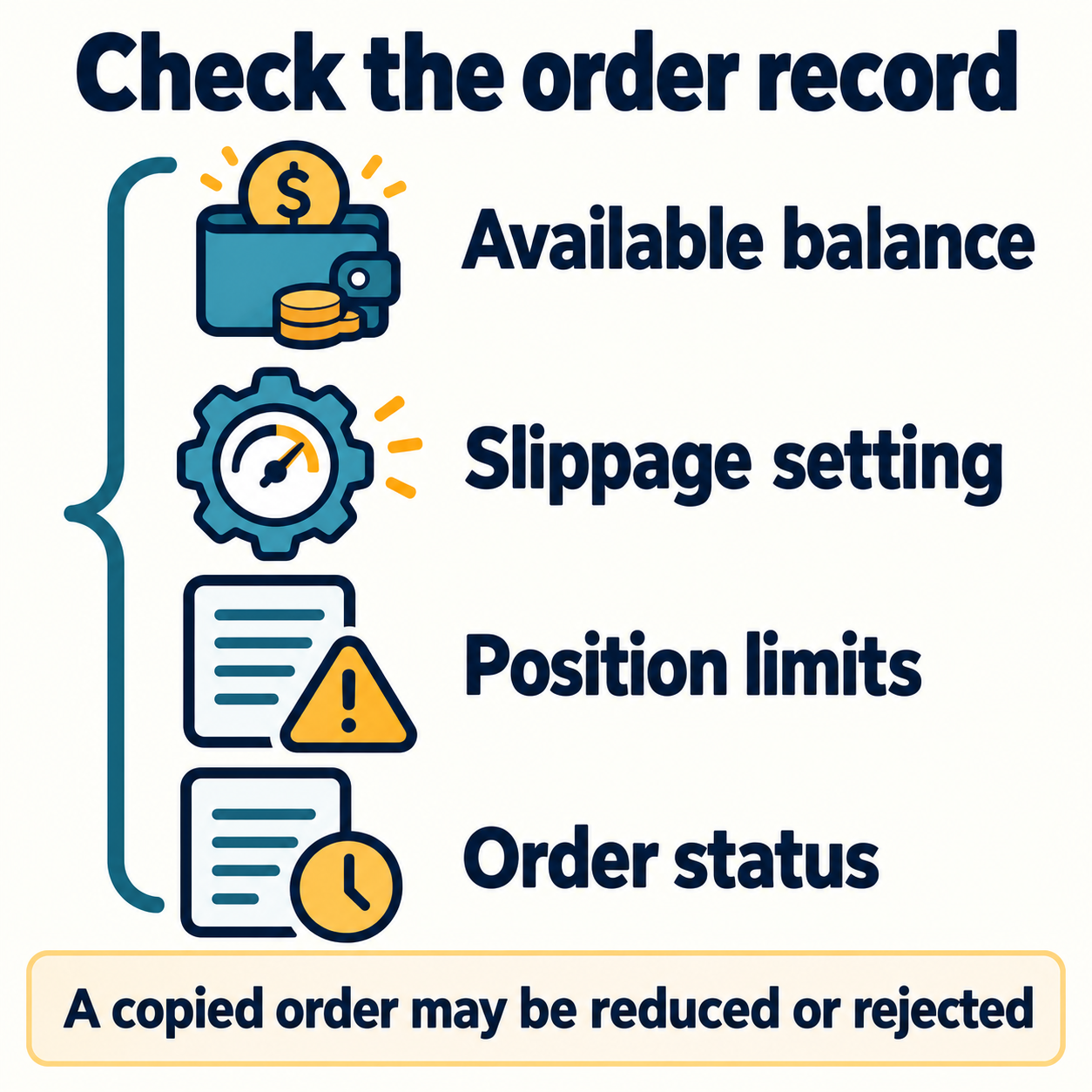
Copy trading orders are executed separately in the follower’s account after the trader’s order. If market prices move quickly or liquidity is insufficient, execution prices may differ.
- Exceeding the set maximum slippage
- Insufficient available balance in the copy account
- Trader placing orders at very short intervals
- Exceeding platform risk limits per asset or trader
- Leverage and position size exceeding risk management criteria
- Trader canceling the order after partial execution
Bitget advises that copy orders may be reduced or rejected according to risk management policies. Therefore, you should not assume that orders on the trader’s screen and orders in your account always match 1:1.
Bitget Copy Trading Profit Sharing Method
Profit sharing is a structure where a portion of the profit made by the follower through copy trading is paid to the elite trader. The 2026 new futures copy trading uses the High Water Mark method, applying profit sharing only to new net profits that exceed the previous settlement peak.
| Situation | Profit Sharing Applied? |
|---|---|
| New net profit generated after previous settlement | Sharing applied to newly generated unsettled profit |
| Loss occurred after past profit | No sharing in loss periods |
| Recovered losses but did not exceed previous peak | Generally no new sharing |
| Exceeded previous settlement peak | Sharing applied only to the new profit exceeding the peak |
The new futures copy trading official guide explains that settlement occurs daily at 00:00 (UTC+8) for accounts where all positions are closed. If open positions remain, they may be carried over to the next settlement cycle. Actual profit sharing ratios should be checked in the trader profile and copy settings screen.
Things to Check When Stopping Copying
When stopping copying in Bitget’s new futures copy trading, two methods are generally provided.
- Close all positions at market price immediately: You can end copying immediately, but in highly volatile periods, execution may occur at a less favorable price than expected.
- Continue following the trader’s liquidation strategy: New positions are not copied, and only existing positions wait for the trader’s exit.
If you choose immediate closure, the final returned amount may differ from the screen estimate due to real-time price fluctuations. Even if you choose to maintain existing positions, you should check the current screen to see if you can manually stop-loss, take-profit, or close positions yourself.
Copy-Trading Features and Limitations
| Feature | Available function | Limitation |
|---|---|---|
| Order automation | Copies supported opening and closing actions | Does not remove supervision, order failures or market risk |
| Trader information | Displays metrics such as ROI, win rate and follower PnL | No independently validated performance rating is assigned here |
| Risk settings | Offers leverage, slippage and trading-pair controls | Cross margin, gaps and changing exposure can still cause losses |
| Execution | Records fills in the follower’s own account | Liquidity and slippage vary; no execution-quality advantage is established |
| Prior knowledge | Users can review product and account conditions | Ease of access does not establish suitability for beginners |
How to Distinguish Scams and Exaggerated Reviews
- Avoid those promising principal protection or guaranteed profit.
- Requests for deposits to wallets outside of Bitget are not standard copy trading procedures.
- Do not provide API keys, OTPs, or passwords on Telegram or KakaoTalk.
- Reviews that only show ROI screens without disclosing maximum loss, investment duration, or withdrawal history should be viewed with low trust.
- Check directly on the exchange registration screen what benefits apply through the link rather than the referral link itself.
Security Settings Checklist
- Enable 2FA such as Google OTP
- Set withdrawal address whitelist
- Use anti-phishing code
- Use only official apps and official domains
- Do not share API keys and verification codes with third parties
- Do not put all assets into the copy account at once
How to Enter Registration Links and Referral Codes
If you need to register for Bitget, you can go to the registration screen via the partner link below. If the referral code is not automatically entered during registration, check and enter BITGETDC manually.
Bitget Registration Link: https://partner.bitget.com/bg/BITGETDC
Referral Code: BITGETDC
Notice: The link above is a partner link, and the operator may earn revenue upon registration or trading. Fee discounts, rewards, and event conditions applied to the referral code may vary depending on timing and account conditions, so please check the final conditions on the registration screen and Bitget’s official event page.
Frequently Asked Questions (FAQ)
What is the minimum amount for Bitget futures copy trading?
Based on the 2026 new futures copy trading official guide, the minimum initial transfer to a dedicated account is 50 USDT. However, elite traders may set a higher minimum copy amount.
If a trader makes a profit, do followers get the same ROI?
It cannot be guaranteed to be the same. Actual ROI may differ due to order timing differences, slippage, insufficient balance, maximum exposure limits, leverage differences, and order failures.
Is a trader with a high win rate the safest?
No. A high win rate might come from holding loss positions for a long time or averaging down. You should check MDD, average profit/loss ratio, stop-loss records, and unrealized losses together rather than just the win rate.
Is it safe to copy multiple traders?
No. More trader names do not automatically reduce correlated exposure. Compare combined assets, directions, position sizes and open losses; different styles or holding periods can still be exposed to the same market move. No particular mix guarantees diversification or safety.
Can I withdraw funds during copying?
The new futures copy trading official guide states that adding and withdrawing funds during copying is possible. However, the withdrawable amount may be limited or some funds may be temporarily frozen depending on remaining assets, open positions, and unsettled profit sharing.
Are positions automatically liquidated when stopping copy trading?
During the stopping process, options such as immediate market price closure or following the trader’s exit for existing positions may be provided. You should check currently open positions and expected profit/loss before making a final choice.
Is Bitget copy trading recommended for beginners?
There is no verified basis here to recommend futures copy trading to beginners. Automatic order copying does not remove leverage, liquidation, custody or execution risks. Understanding those risks is necessary for an informed decision, but does not by itself establish that the product is suitable or that a loss can be limited to a chosen amount.
Official Materials and Reference Links
- Bitget New Futures Copy Trading Follower Guide
- Reasons why futures copy orders are restricted or not executed
- Bitget Spot Copy Trading Guide
- Bitget Bot Copy Trading Guide
Conclusion: Check Exposure and Execution, Not Just ROI
Bitget copy trading automates supported trading actions and displays trader records. Automatic copying does not remove investment risk; it can also replicate exposure to another trader’s decisions. The controls and examples above are information for checking the product, not a performance rating or endorsement.
Review trading history, drawdown, open losses, leverage, follower fills and costs together. Neither fixed margin, low leverage, a short trial nor a high star score establishes future profit or justifies increasing an allocation. Any decision also depends on applicable product and regional conditions and the possibility of losing the funds committed.
Bitget Registration Link: Go to Bitget Official Registration Page
Referral Code: BITGETDC
This article is written for informational purposes and is not an investment recommendation. Virtual assets and futures trading are high-risk transactions where you can lose your entire principal. Please check the final conditions in the Bitget app and official support documents.