Bitget requires identity verification for core services, including crypto deposits and trading; its withdrawal rules also require Level 1 verification. This guide explains document preparation, application steps and rejection checks. Verification does not guarantee approval, unrestricted product access or a particular withdrawal limit.
Why is KYC Necessary on Bitget?
Bitget states that KYC supports identity and compliance checks. Verification does not remove country, product or account restrictions. Its individual-verification FAQ lists a 3 million USDT daily withdrawal limit for VIP 0, but directs users to current limits; this is not a guaranteed allowance for every verified account. Check the limit and any security or compliance restrictions shown in your own account. KYC does not guarantee faster recovery or protection from loss.
Requirements for Identity Verification
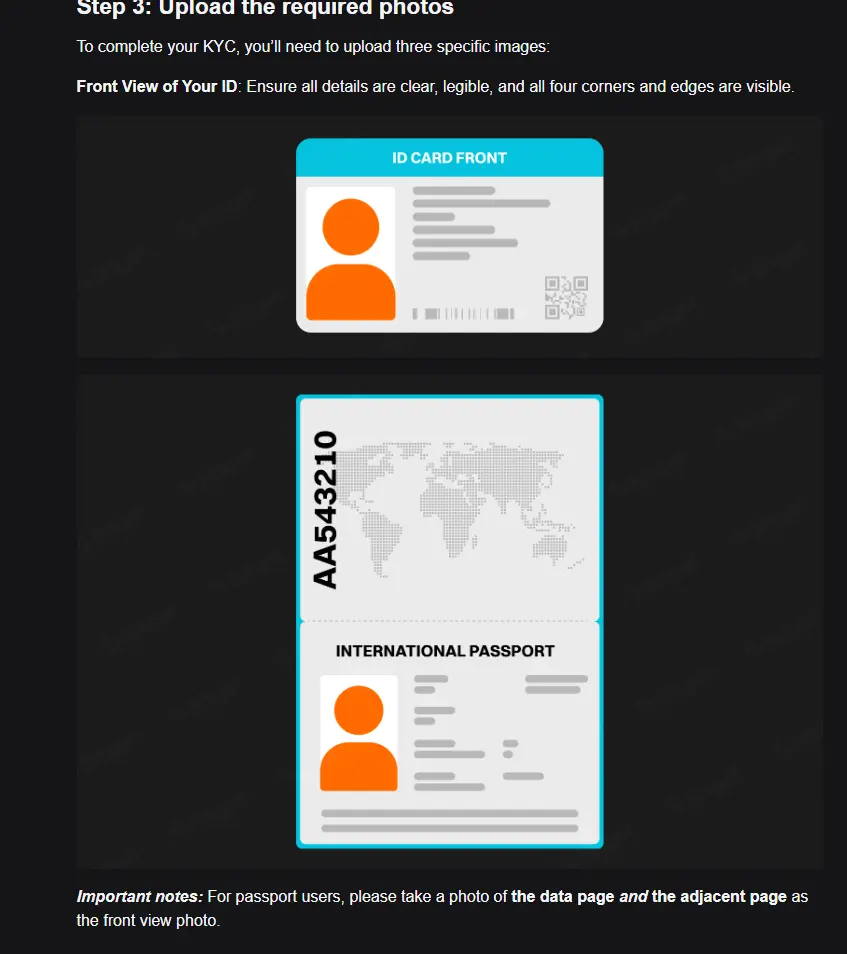
Applicants must meet Bitget’s age and regional eligibility rules. The official rejection guide identifies applicants under 18 and restricted regions as reasons for rejection. Use a valid, unexpired government-issued document supported for the issuing country shown in the verification form. Supply clear color images with all required sides and corners visible, and follow the capture instructions. Unsupported documents, mismatched details and poor image quality can lead to rejection. Do not submit identity documents to third-party agents or use a VPN, another person’s ID or false residence information to bypass restrictions.
Step-by-Step Verification Process
The mobile app supports document capture with a phone camera. The website also provides an identity-verification route; follow the instructions displayed for your device and region.
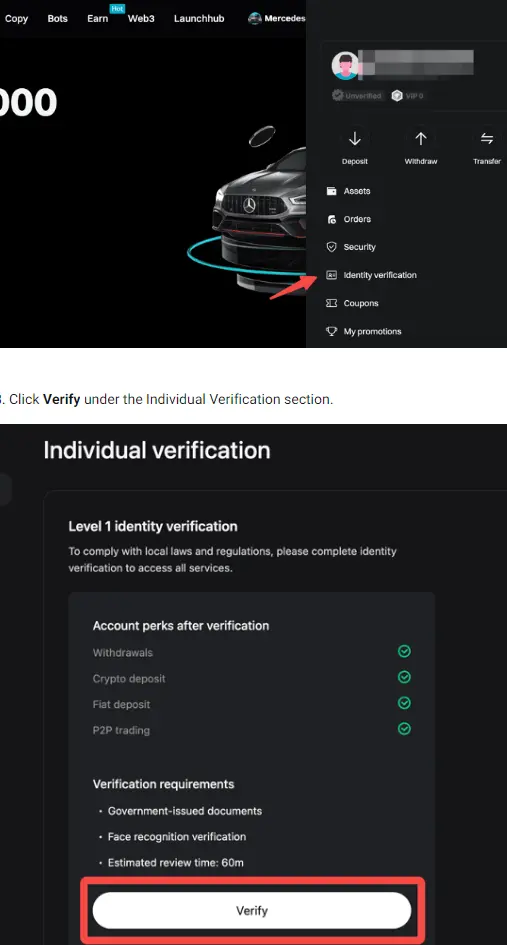
- Access the Verification Center: Log in to your Bitget account. On the app, tap the User Icon in the top left corner and select ID Verification. On the desktop, go to your profile dashboard and click ID Verification.
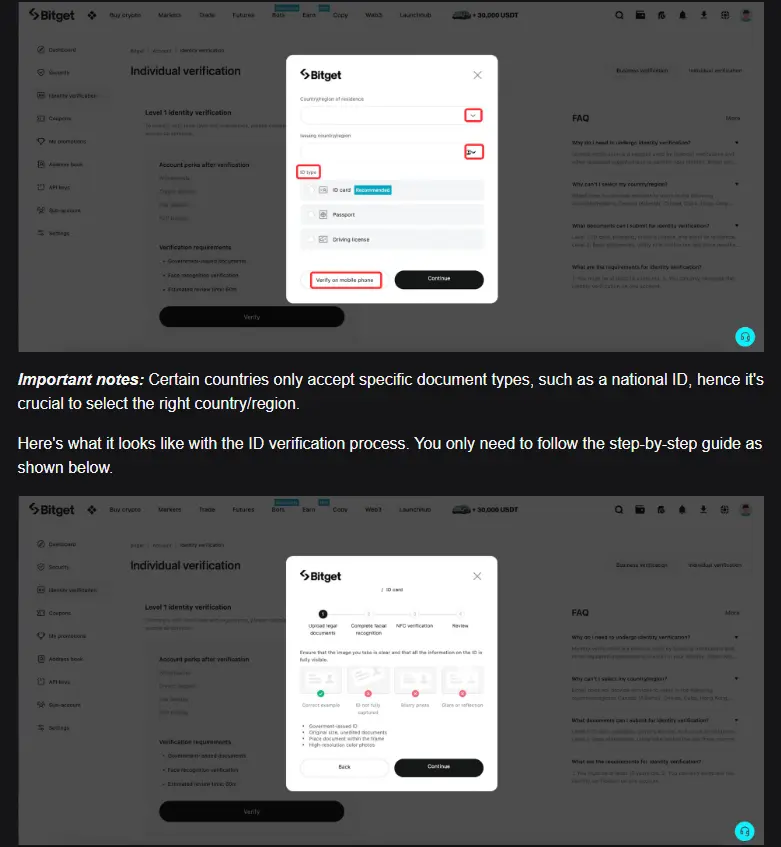
- Select Document Type: Choose your issuing country accurately. The system will display the supported document types for that region. Select the one you have prepared (e.g., ID Card).
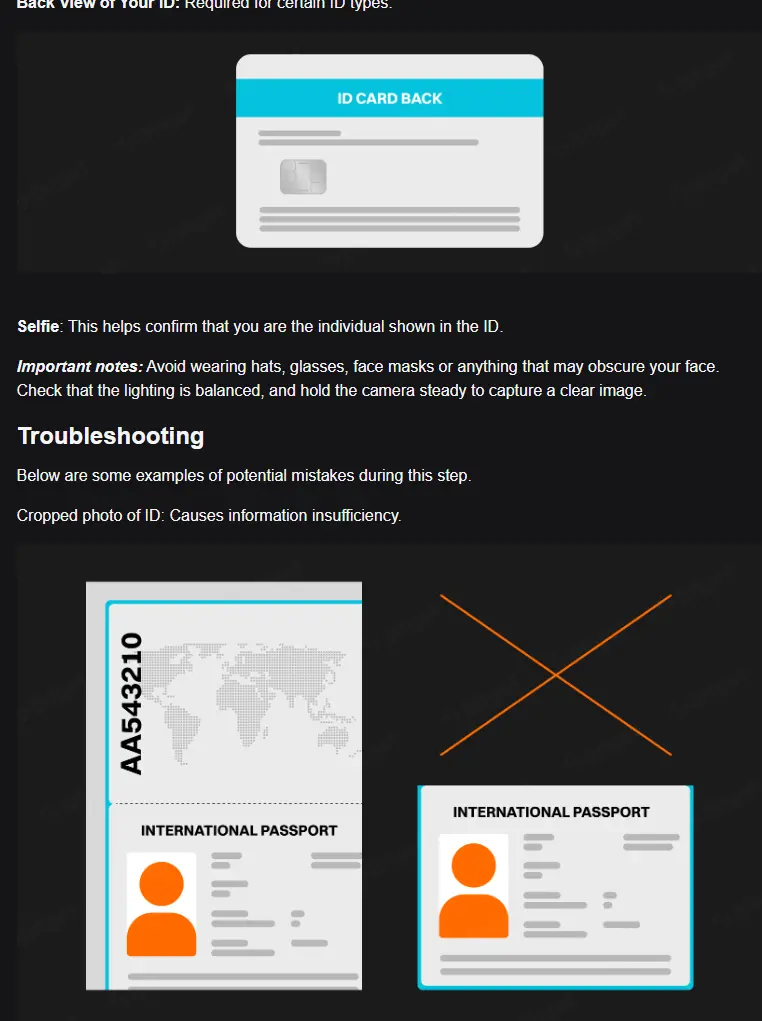
- Capture Document Photos: Follow the on-screen prompts to photograph your ID. Place the card on a plain, dark background to ensure high contrast. Position the camera directly above the card to avoid perspective distortion. You must capture both the front and back of the ID (unless using a passport). Ensure all text is legible and no corners are cut off.
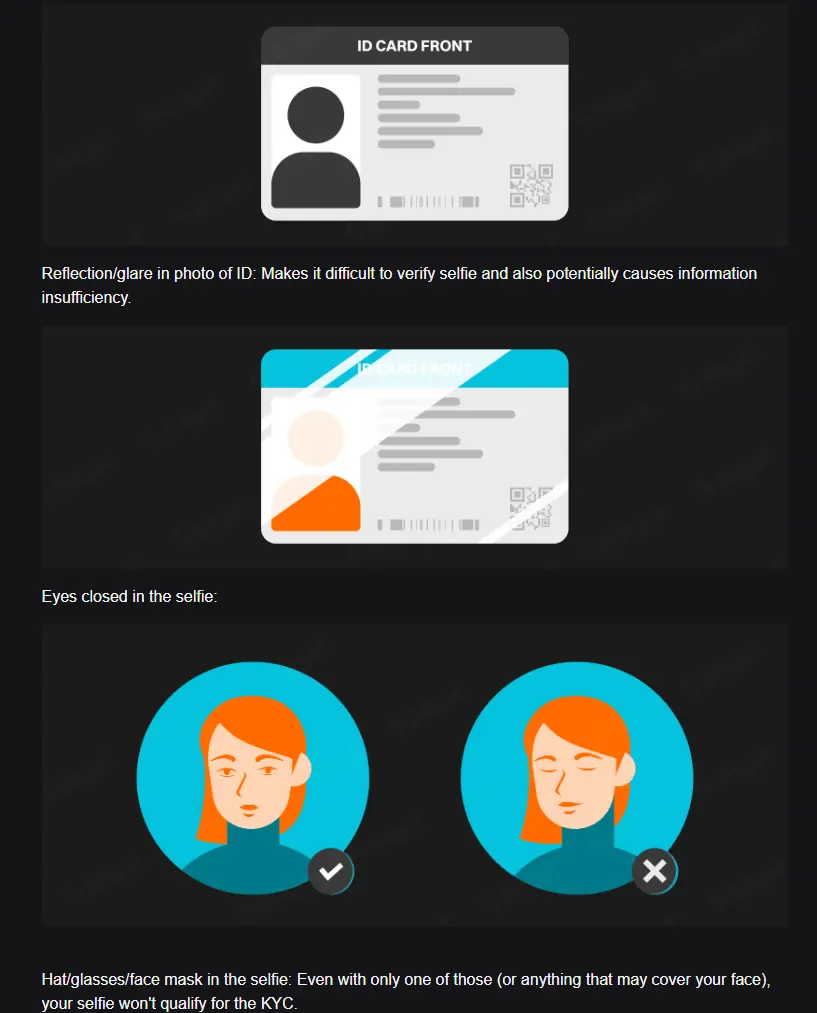
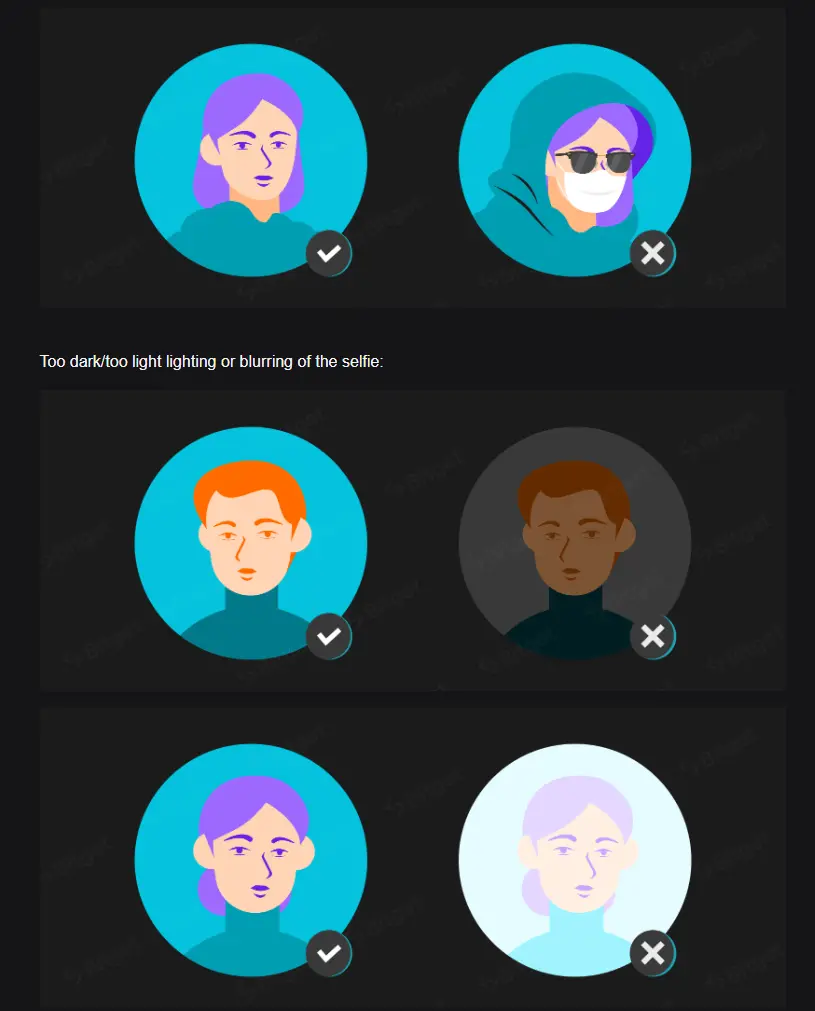
- Facial Recognition (Liveness Check): The final step requires a selfie scan. Remove glasses, hats, or masks. Center your face in the oval frame and follow the instructions (e.g., “blink,” “turn head,” or “open mouth”). This proves you are a living person and not using a static photo.
Common Verification Issues and Solutions
If an application fails, use the stated rejection reason to identify what needs correction.
- “Information Mismatch”: This often happens if you manually type your name differently than it appears on the ID. Use the exact spelling and order.
- “Duplicate Account”: Bitget’s FAQ allows only one KYC-verified account per person. If the same document is already linked to another account, use official recovery or support channels. Do not assume deleting a KYC profile is permitted or will resolve the issue; reset and deletion conditions are restricted.
- Glare and Blur: The most common technical failure is poor image quality. Camera flash often creates a white glare spot on plastic ID cards, obscuring the name or ID number. Turn off the flash and use natural ambient light.
- Regional Restrictions: Check your actual residence, the supported region and the account notice. A document’s issuing country is not necessarily your current residence. Do not alter location information or use a VPN to bypass eligibility rules; ask official support if the recorded residence is incorrect.
Review Time and Notification
Bitget’s official help pages give different review estimates: the individual-verification FAQ says typically up to 60 minutes, while the rejection guide says typically one business day. These are estimates, not approval deadlines. Check the application status and the instructions shown for your account.
- Application Status: Open User Center → Identity Verification to check whether the application is under review, approved or rejected. Do not treat an estimated review time as a guarantee.
- Delayed Review: If review exceeds the estimate shown in the relevant guidance, contact official support with your UID and application status. Do not assume a delay proves approval, rejection or a particular internal review process.
- Notification: The official FAQ says review results are communicated through email or the account dashboard. Verify messages through the official app or website before providing additional documents.
- Handling Rejection: Correct the stated issue before resubmitting. The individual-verification FAQ allows up to five attempts within 24 hours; if all fail, it says to wait another 24 hours. Follow any stricter limit or instruction displayed in your account.
BitQED provides independent explanatory content, not Bitget customer support. BitQED may receive compensation through affiliate relationships. This guide is not an instruction to open or fund an account; KYC does not remove cryptocurrency, custody, market or regulatory risks.
Official sources and verification date
Checked 4 October 2026 (KST). Official sources: Individual verification FAQ; KYC rejection guide; Withdrawal identity-verification rule. Policies and account-specific instructions may change. Existing screenshots illustrate the interface and are not proof of current approval times, eligibility or limits.