Bitget fees can look higher than expected when a fill executes as taker, the calculation uses margin instead of traded notional, or the comparison includes both entry and exit or a separate funding payment. Check the charged fee against each executed fill, its fee currency and the rate applicable to that product and account at the time. A balance change alone does not establish an incorrect trading fee.
Fact-checked: October 10, 2026. This guide reconciles ordinary spot trades and linear USDT-M crypto futures. Coin-M, stock or commodity contracts, copy-trading profit share and borrowing costs need their own product rules. Examples are hypothetical, not a recommendation to trade.
First identify which cost you are checking
Do not add every deduction to a single maker/taker fee. Separate executed-trade commissions from perpetual funding, withdrawals, transfers, borrowing interest and any product-specific charges. An estimated closing cost displayed for an open position is also different from a fee recorded after an actual execution.
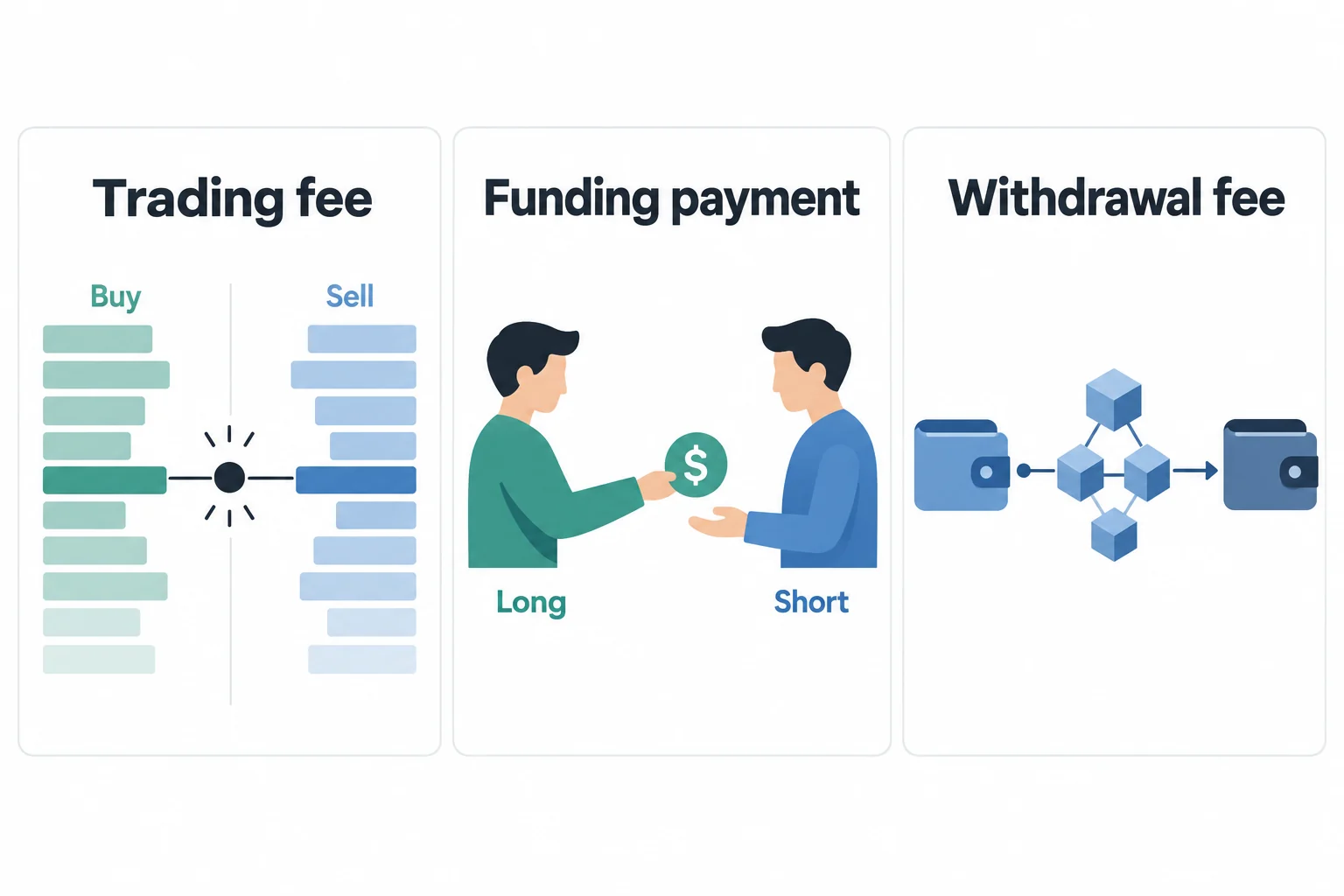
For context, Bitget’s Trading Fees FAQ lists ordinary spot base rates of 0.10% maker/taker and standard crypto futures rates of 0.02% maker and 0.06% taker. These are reference rates, not a promise of your account’s effective rate. Product, VIP status and applicable terms can differ.
Why a limit order can pay a taker fee
The distinction is liquidity at execution, not just the order label. An order resting in the book can provide liquidity; an incoming order that immediately matches an existing order consumes it. A limit order priced to cross the book can therefore execute as taker.
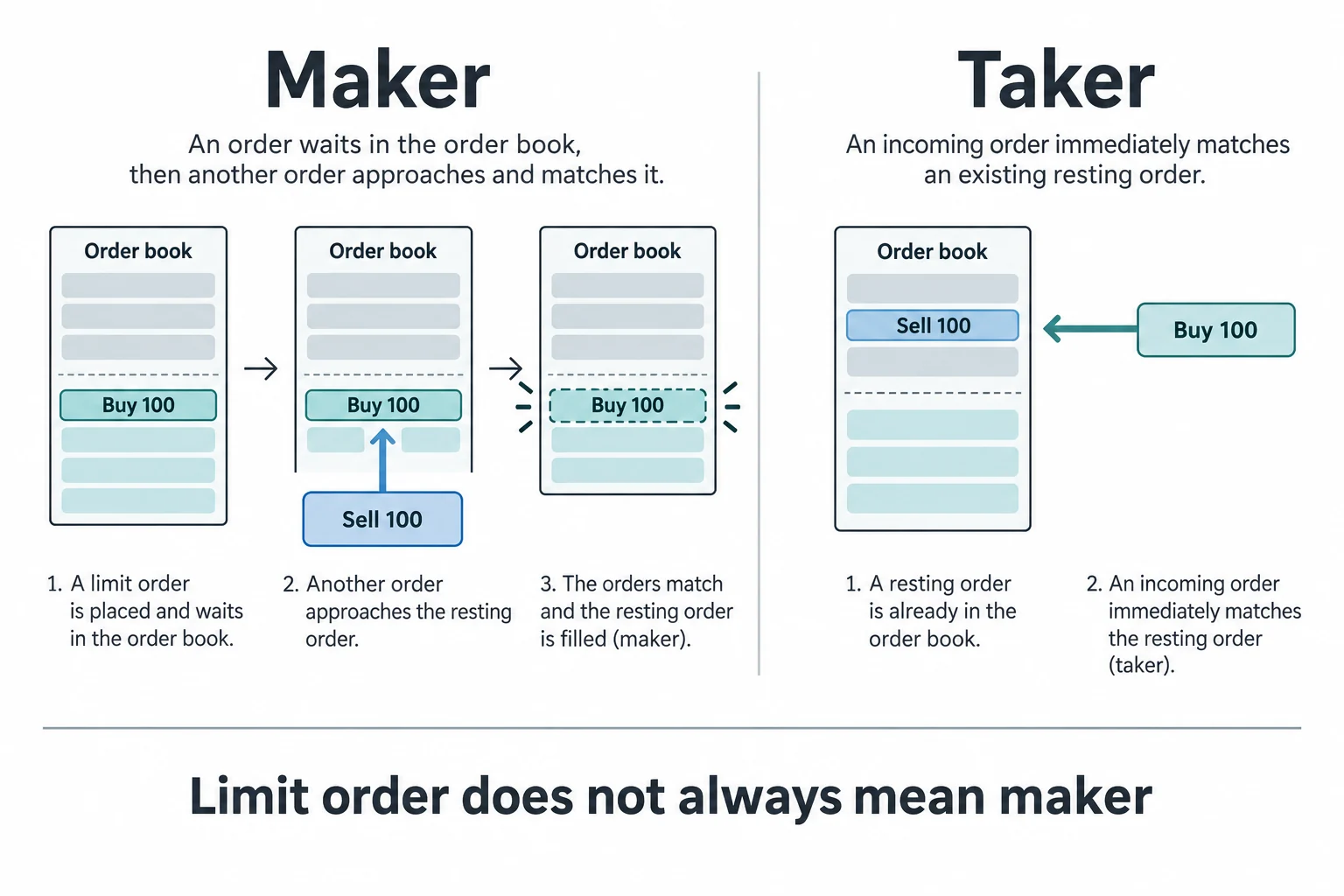
Check the fill classification where available rather than assuming all executions share one rate. Bitget’s official spot trade documentation distinguishes order ID from trade ID and exposes maker/taker classification, filled price, quantity and fee details. This does not mean every app screen or export exposes identical columns.
Post-only can prevent an immediate taker execution on supported orders, but it can cancel rather than fill. It does not guarantee entry or exit. See the official futures order-type guide and the related BitQED Post-only, IOC and FOK explanation for canceled orders and partial fills.
Use filled notional, not just margin
For the linear USDT-M examples here, trading commission is calculated from executed quantity × execution price × applicable fee rate. Bitget’s order-cost calculation guide explains the transaction-value basis. Margin is collateral, not a substitute for the filled trade value.
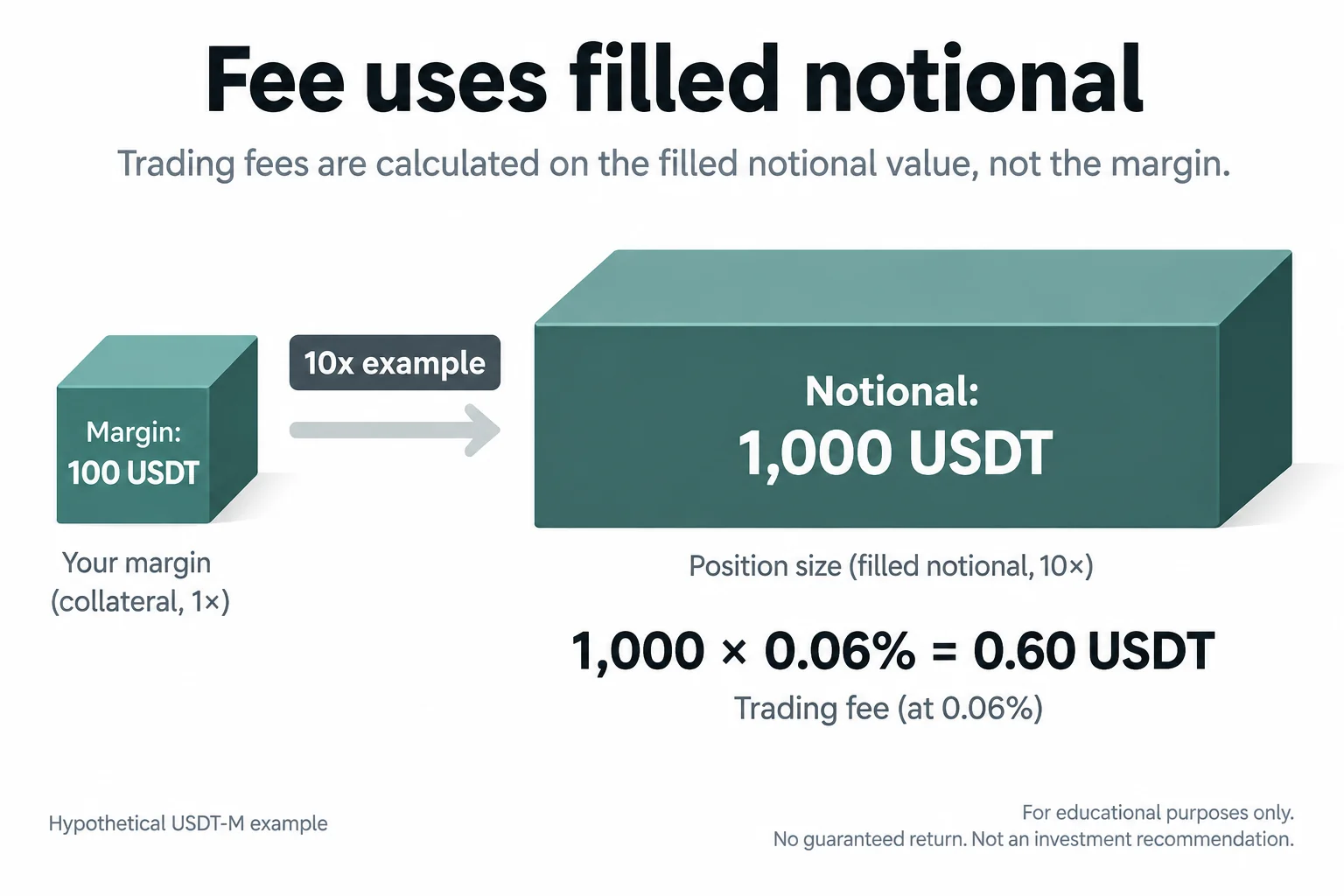
If a 100 USDT margin supports a filled 1,000 USDT position in a simplified 10x example, a 0.06% fee is 0.60 USDT, not 0.06 USDT. Once quantity × fill price already gives 1,000 USDT, do not multiply by leverage again. With the same filled notional and rate, changing leverage alone does not change this commission; increasing the position does. Leverage increases liquidation and loss risk.
Check entry and exit separately, then sum the fills
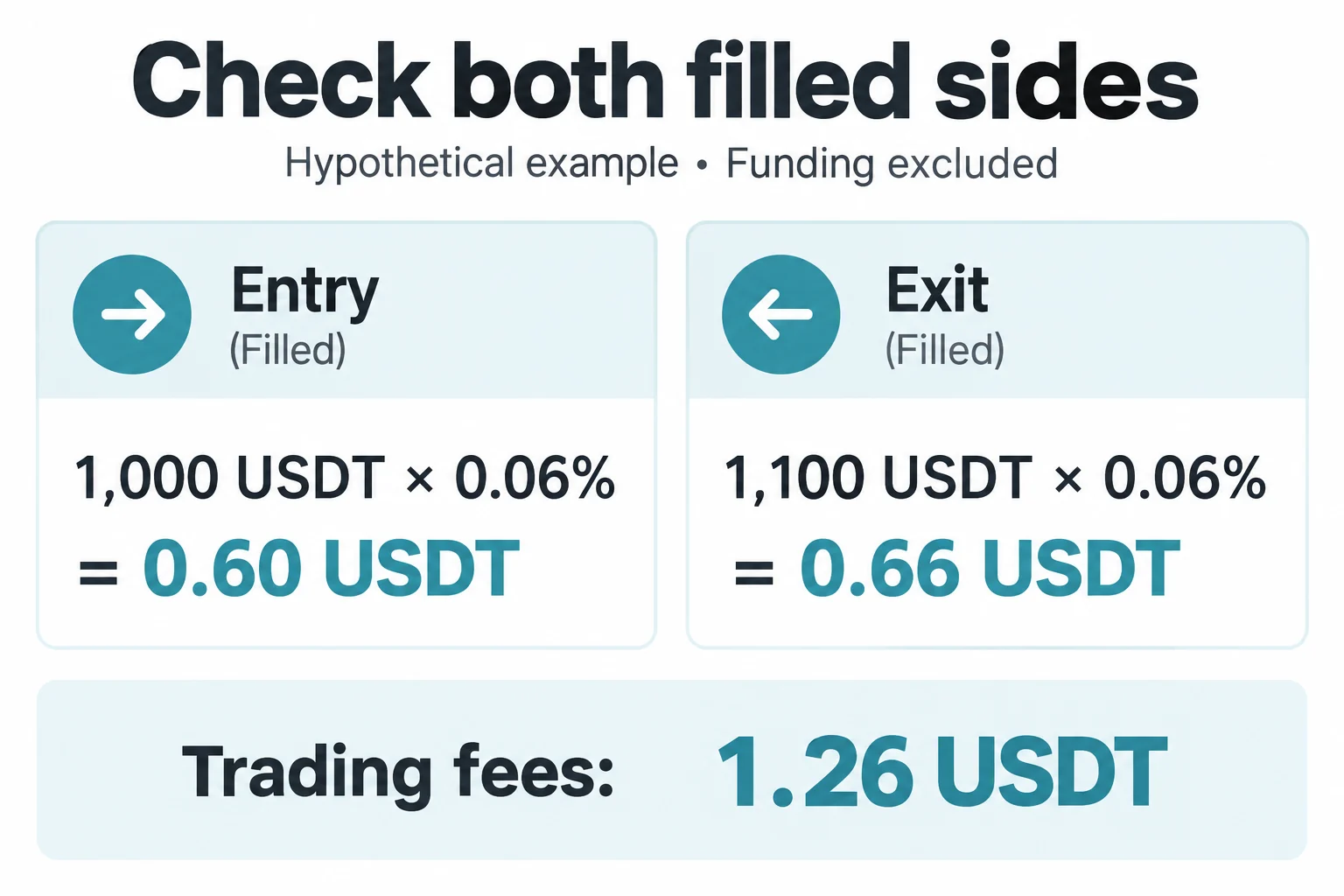
A round trip is not one charged side. If entry has an executed value of 1,000 USDT and exit has an executed value of 1,100 USDT, both hypothetically at 0.06%, commission is 0.60 + 0.66 = 1.26 USDT, before funding or other costs. Using twice the entry fee would incorrectly produce 1.20 USDT.
Partial executions need the same discipline. For an illustrative USDT-M order with two fills, assume the first filled value is 400 USDT at a 0.06% taker rate and the second is 600 USDT at a 0.02% maker rate:
| Hypothetical fill | Calculation | Commission |
|---|---|---|
| Immediate taker fill | 400 × 0.0006 | 0.24 USDT |
| Resting maker fill | 600 × 0.0002 | 0.12 USDT |
| Combined executed value: 1,000 USDT | 0.24 + 0.12 | 0.36 USDT |
The implied blended rate is 0.36 ÷ 1,000 × 100 = 0.036%. It is a weighted result of these hypothetical fills, not a new advertised fee tier. Use the actual records and product rules; do not assume a partially filled order always has mixed maker/taker treatment.
Does a missing BGB or VIP reduction explain the difference?
Check the conditions that applied when the trade executed, not only your settings now. Bitget’s fee FAQ says spot BGB fee deduction requires the offset setting to be enabled and sufficient BGB; an insufficient balance returns the charge to the original payment method. BGB fee payment and VIP qualification are separate checks. Do not assume the spot BGB mechanism applies to every futures product.
A referral code, affiliate commission or later rebate also does not establish the commission charged on a specific fill. Verify applicable terms and any separate rebate record rather than subtracting an unconfirmed percentage. No fixed referral benefit or code-specific rate is assumed in this guide.
Reconcile the trade record in this order
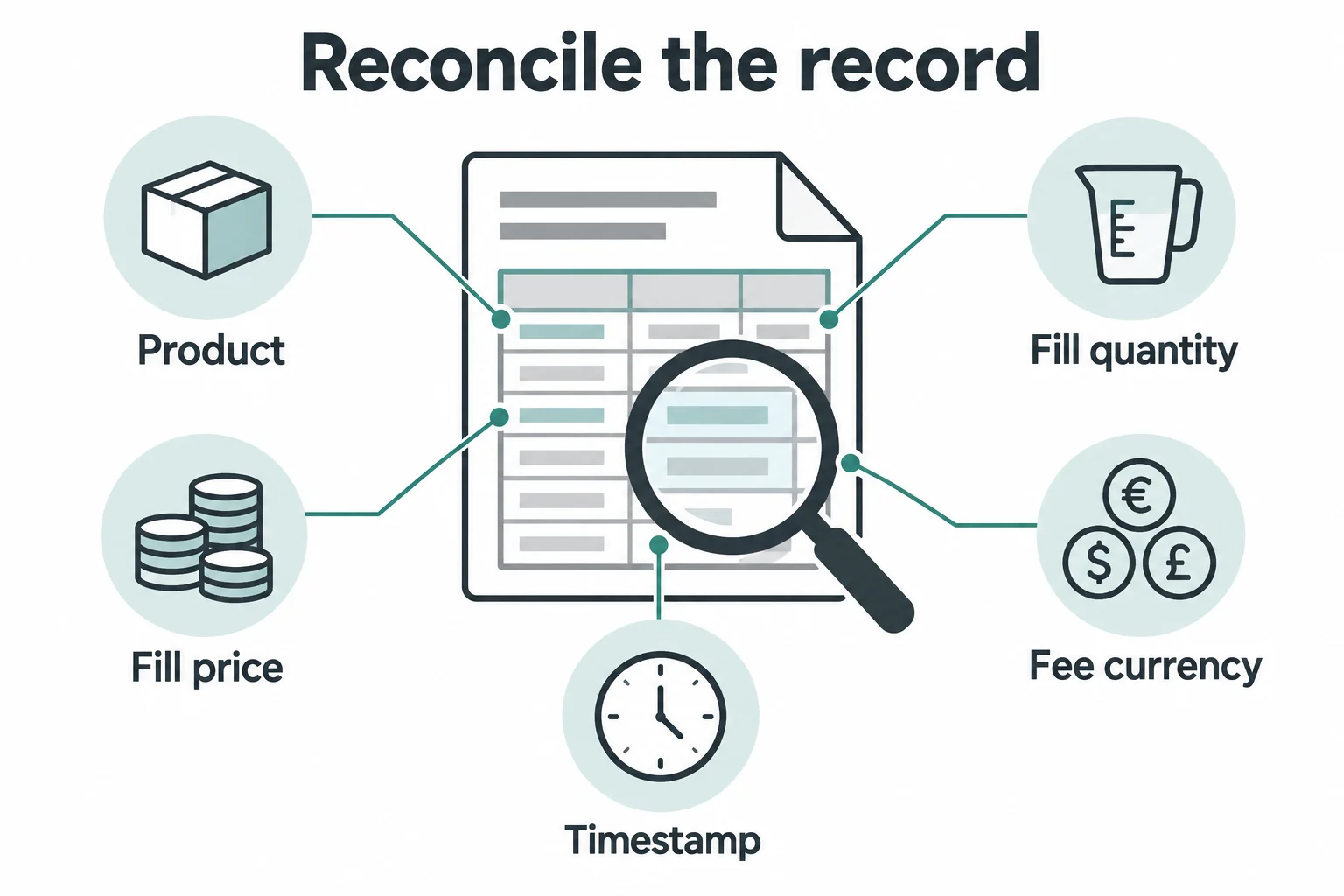
- Identify the account and product. Separate spot, USDT-M and other contracts, including any sub-account.
- Locate executed trades. Use the order/trade-history area for that product. Filter the pair and period, open the relevant order and inspect all fills where available. Menu names vary by app and account mode.
- Record evidence. Keep order ID, fill/trade ID when available, executed quantity, price, maker/taker classification, charged amount, fee currency and timestamp. Check whether an export contains order summaries or individual fills.
- Match units and time. Never add 0.01 BGB directly to 0.01 USDT. If conversion is necessary, record the documented conversion basis and time. A present-day portfolio valuation is not proof of the historical fee. Align timezone filters: KST is UTC+9, so a KST calendar day crosses two UTC dates.
- Recalculate each relevant fill. Apply the product’s fee basis and the rate valid for that execution; sum without counting an order summary and its component fills twice. Small differences can require an explanation of display precision or rounding rather than a forced match.
- Separate the remaining ledger entries. Match funding debits/credits, withdrawals, transfers and any product-specific costs separately. Do not count a commission again if a displayed net PnL already includes it.
Bitget’s spot documentation records fee currency and deduction details; its sample includes a negative fee value. Check the field definition and ledger convention before interpreting a minus sign as a refund. For standard spot rules, consult Spot Trading Fees, Limits, and Rules. Do not create or share an API key merely to perform this check; use the account’s existing history or export facilities.
What if the difference is funding, slippage or an unexplained charge?
Funding is separate from execution commission. Compare the settled contract rate, position and payment timestamp, not the estimate for the next settlement. Bitget’s current funding-rate documentation supports contract-specific settlement intervals, so an eight-hour schedule must not be assumed universally. The BitQED funding-history guide explains the separate reconciliation.
Slippage changes execution price; it is not itself a commission entry. A portfolio value can also change because prices move. Keep those effects separate from a charged fee before concluding that the exchange applied an incorrect rate.
If the records still do not reconcile, contact support through the official Bitget app or website you normally use. Provide the product, pair, order/fill IDs, timestamps and timezone, charged fee and currency, expected calculation, and the terms you relied on. Ask for the applicable historical rate, deduction method and rounding explanation. Share account identifiers only through authenticated support; redact unrelated balances or identity documents and never provide passwords, 2FA codes, API secrets or seed phrases. This guide cannot determine an individual billing dispute or guarantee a refund.
Methodology, affiliation and risk
BitQED compared current official fee, order and record documentation on October 10, 2026. Calculations are reproducible hypothetical examples, not evidence from a tested user account. Public base rates cannot establish a historical account-specific charge. Availability and terms vary by region, product and account and may change.
BitQED has an affiliate relationship with Bitget and may receive compensation through partner links elsewhere on the site. This article contains no registration or trading CTA and no partner registration link. It is informational, not investment, tax or legal advice. Crypto custody, market volatility and leveraged liquidation can cause losses; a lower fee does not make a trade safe.