Quick answer: Bitget supports on-chain crypto deposits and withdrawals, while card purchases, P2P, and bank routes depend on your country, currency, account status, and the providers shown in your account. Bitget does not charge a platform fee for crypto deposits, but the sending wallet or exchange may charge a network or withdrawal fee. Crypto withdrawal fees vary by asset, network, and network conditions, so the amount shown on Bitget’s confirmation screen is the final figure to check.
Last verified: September 12, 2026. Features, limits, supported networks, payment methods, and fees can change. Confirm the live details in your Bitget account before sending funds.
Affiliate disclosure: BitQED may receive a commission if you register through the link above. Availability and benefits can vary by account, region, and the terms shown on Bitget. This does not change the transfer checks or risks explained below.
Bitget deposit and withdrawal methods at a glance
| Method | Useful when | Cost to verify | Main risk or limitation |
|---|---|---|---|
| On-chain crypto deposit | You already hold crypto elsewhere | Fee charged by the sending wallet or exchange; Bitget states it does not charge a crypto deposit fee | Asset, network, address, and any memo/tag must match |
| On-chain crypto withdrawal | You are moving assets to a wallet or another platform | Live withdrawal fee and minimum shown for the selected asset and network | Blockchain transfers are generally irreversible |
| Card or third-party purchase | You want to buy crypto with an eligible card or payment service | Provider rate, processing fee, spread, and final amount received at checkout | Regional availability, identity checks, bank declines, and provider terms |
| P2P | A supported local payment method is available | Offer price, payment terms, and any payment-provider cost | Counterparty and payment-dispute risk; stay inside Bitget’s order flow |
| Bank deposit or withdrawal | Your account shows an eligible fiat rail | Currency- and provider-specific fee shown for the order | Availability, name matching, limits, and processing times vary |
How to deposit crypto to Bitget
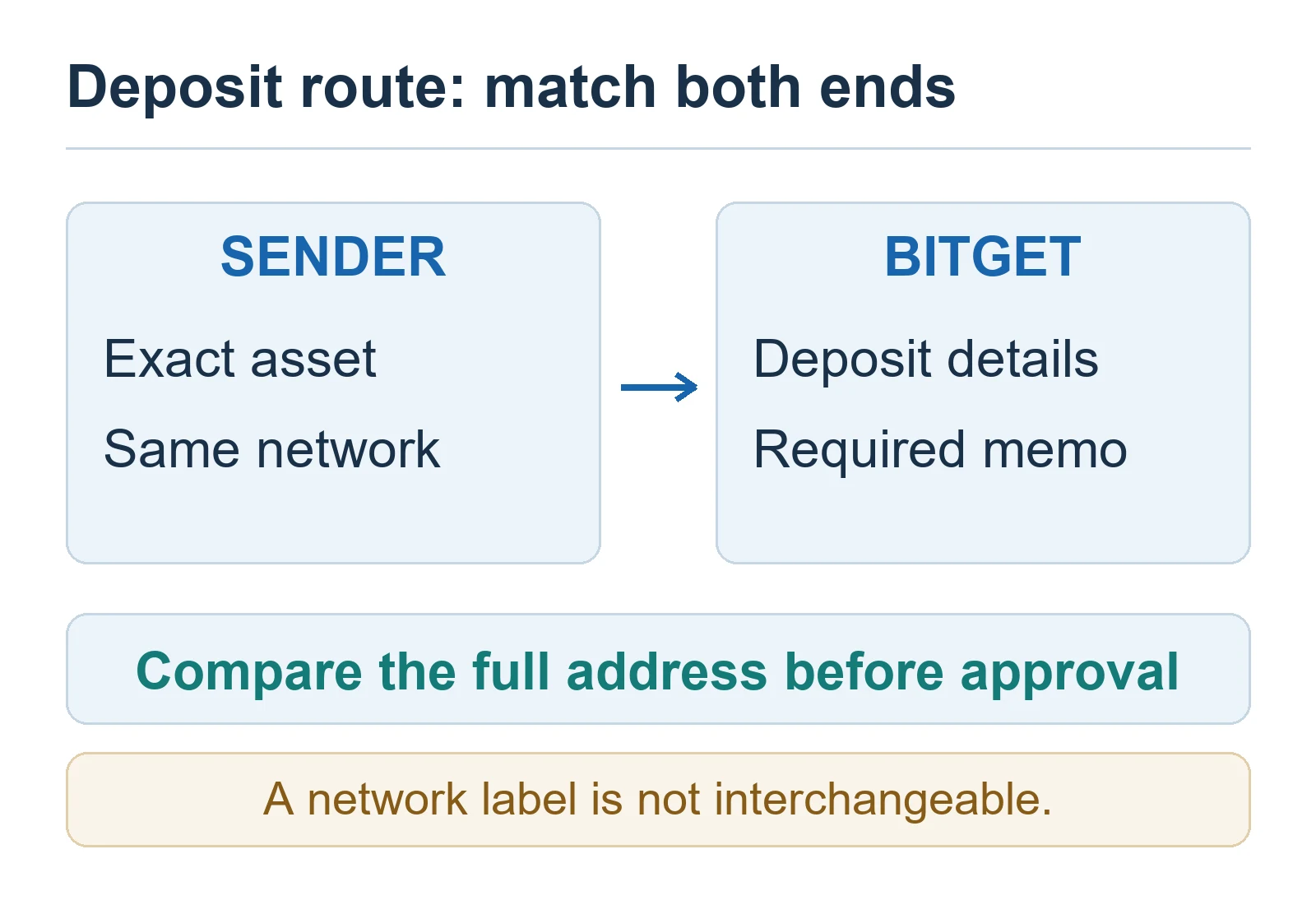
- Open Deposit in Bitget and select the exact cryptocurrency you intend to send.
- Select a network that is supported by both Bitget and the sending wallet or exchange.
- Copy the current deposit address from Bitget. If the deposit screen displays a memo, tag, comment, or other identifier, copy that as well.
- At the sending service, select the same asset and network, then paste the address and required memo/tag.
- Check the sending fee, Bitget’s minimum deposit notice, and the final address before authorizing the transfer.
- For a new destination or a large transfer, consider a small test transfer first. Wait until it is credited before sending the remainder.
- Save the transaction ID (TXID) and monitor the deposit history until Bitget credits the funds.
Network matching is the priority. A lower fee does not make an incompatible network safe. Never choose a network only because it appears cheaper. Confirm that the destination supports that network for that specific asset.
Bitget’s official mobile deposit guide says deposit addresses and supported networks should be checked on the current deposit page. It also notes that the time to credit a deposit varies with the asset, network confirmations, and congestion. Avoid relying on an old screenshot or a fixed confirmation-time table.
How to withdraw crypto from Bitget
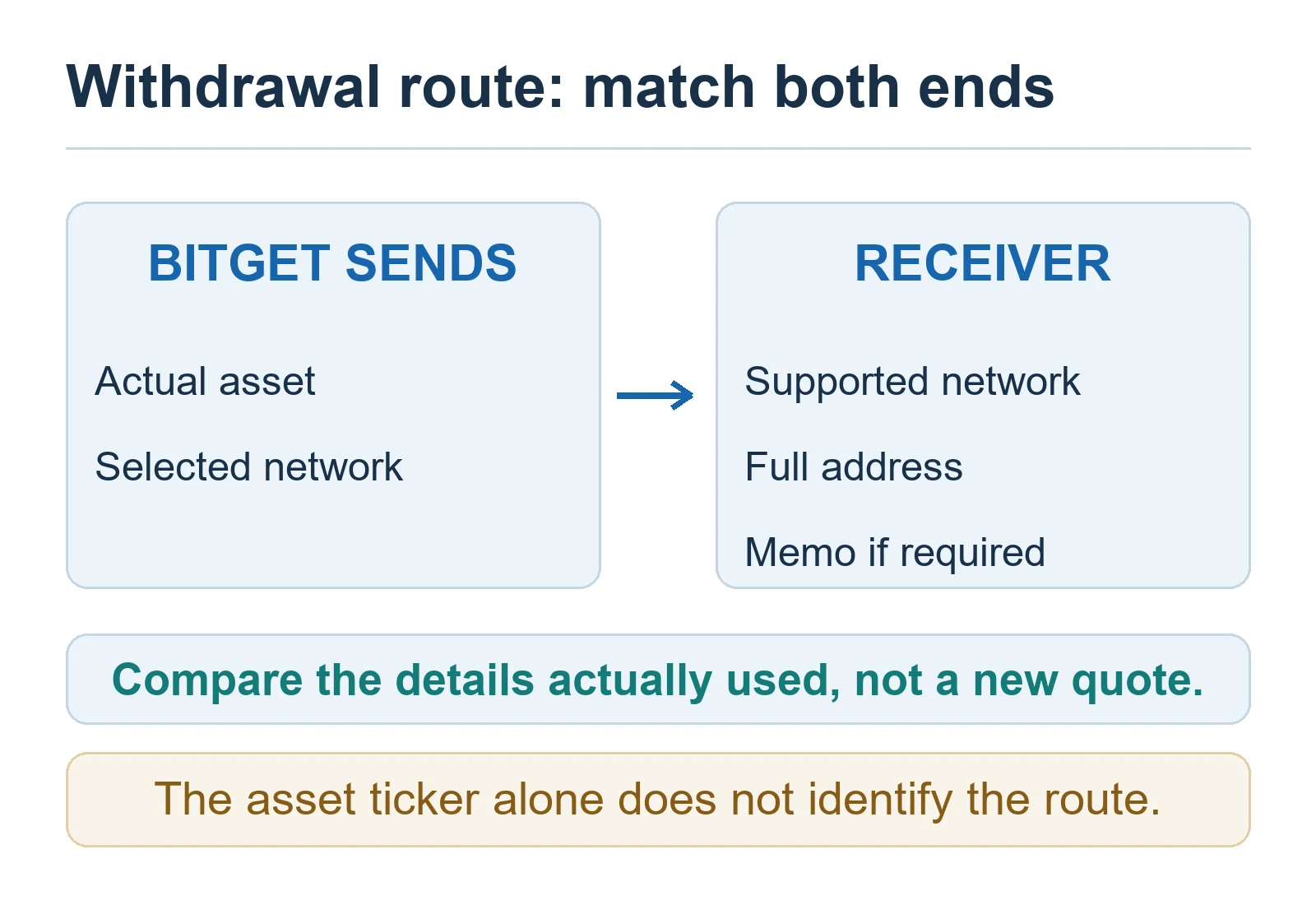
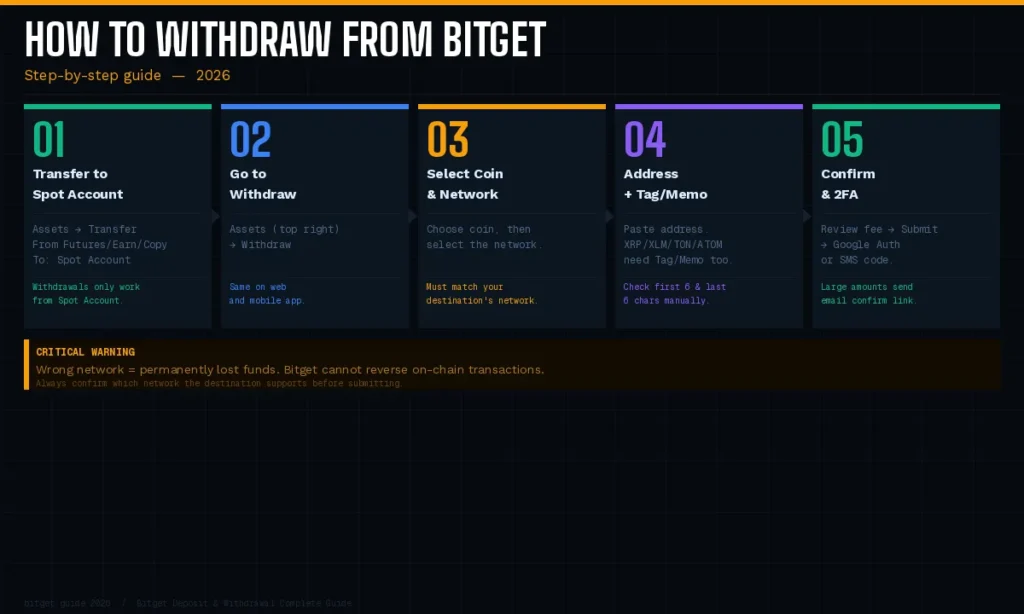
- Confirm the asset is available for withdrawal and is not locked in an order, product, bonus, or other account section.
- Open Withdraw, select the cryptocurrency, and choose a network supported by the destination.
- Copy the destination address from the receiving wallet or exchange. Enter any required memo or tag exactly as shown there.
- Review the live minimum, withdrawal fee, and amount the recipient should receive. These values may differ by asset and network.
- Complete the security checks shown by Bitget. Recheck the first and last characters of the address before final confirmation.
- After submission, open withdrawal history and save the TXID when it becomes available.
A withdrawal shown as completed by Bitget does not necessarily mean that the receiving exchange has credited the user’s balance. It may still need blockchain confirmations or a separate recipient-side review. Check the TXID on the relevant block explorer, then compare it with the receiving platform’s deposit record.
For a detailed status-by-status checklist, see the Bitget withdrawal pending, completed, and TXID troubleshooting guide.
Bitget deposit and withdrawal fees: what is stable and what changes
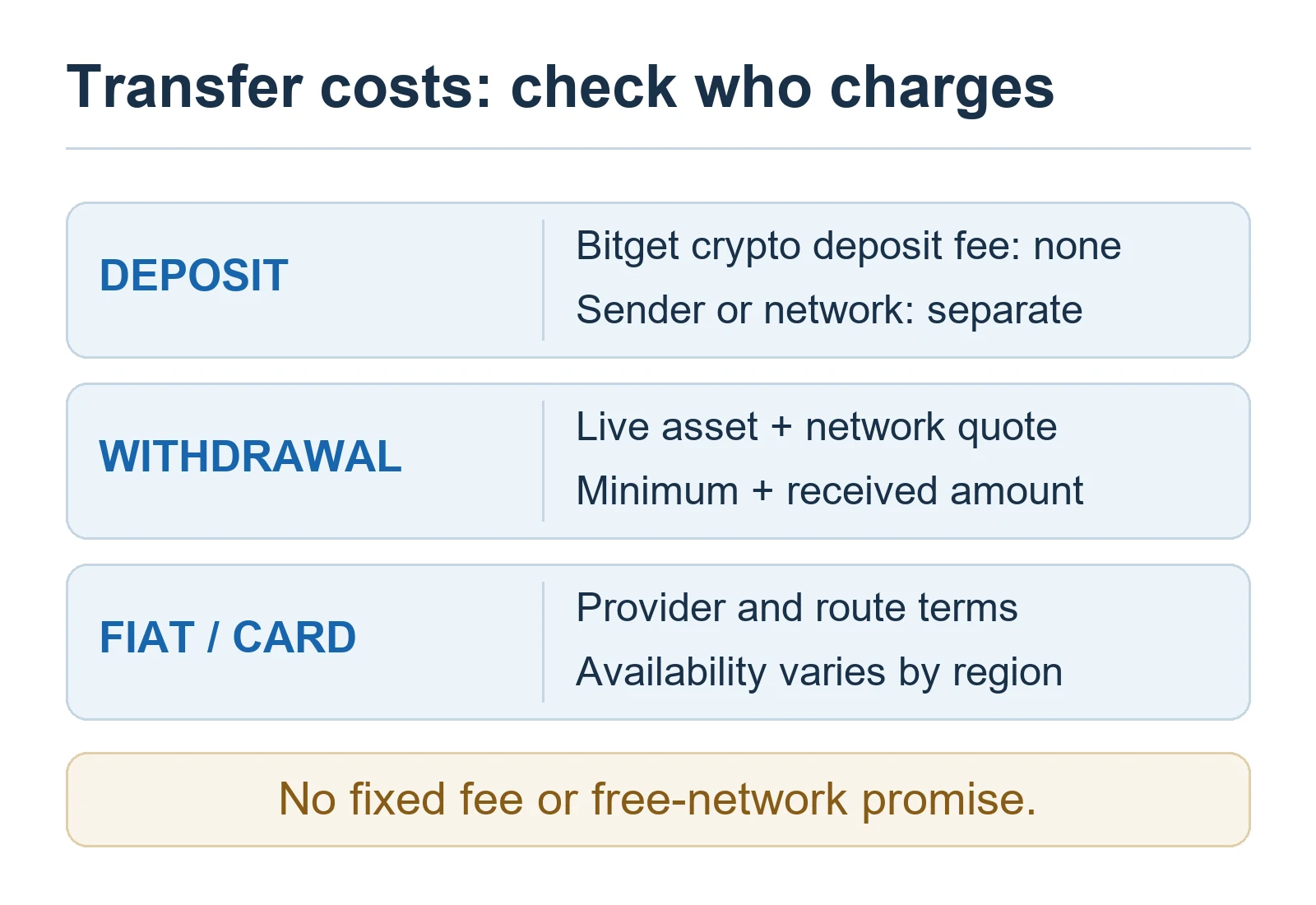
- Crypto deposit: Bitget states that it does not charge a platform deposit fee. The sender may still charge a withdrawal or blockchain fee.
- Crypto withdrawal: the fee varies by cryptocurrency, network, and network conditions. Check the live withdrawal page before submitting.
- Card, P2P, and bank routes: compare the quoted exchange rate, provider fee, payment-method cost, and final amount received. A route labelled “zero fee” can still have a less favorable price or third-party cost.
- Minimums and limits: use the figures shown for your account, asset, network, currency, and verification or VIP status. Do not rely on a universal fixed table.
There is no network that should be described as permanently free or always best. A network is suitable only when both sides support it, the destination details match, and the live fee and minimum are acceptable at confirmation time.
Card, P2P, and bank routes
Card or third-party purchase
Open Bitget’s current buy-crypto screen and enter your country or currency to see the payment methods and providers available to your account. Before confirming, compare the amount paid, amount of crypto received, provider fee, exchange rate, and any card-issuer charge. Provider availability and verification requirements can change.
P2P
Use only the payment method and instructions displayed inside the Bitget P2P order. Review the merchant’s completion history, order limit, price, terms, and supported account name. Do not mark a payment as sent before actually paying, do not move the conversation or payment outside the order flow, and do not release crypto until the money is visible in the receiving account rather than only in a screenshot or message.
Bank deposit or withdrawal
Bank rails are currency-, provider-, region-, and account-specific. Create the order first, then follow the beneficiary name, reference, amount, and account-name requirements shown for that order. The official Bitget bank-fee page lists different methods, limits, and fees by currency, so a single global SEPA, SWIFT, or bank-transfer figure is not reliable.
Security holds and withdrawal limits
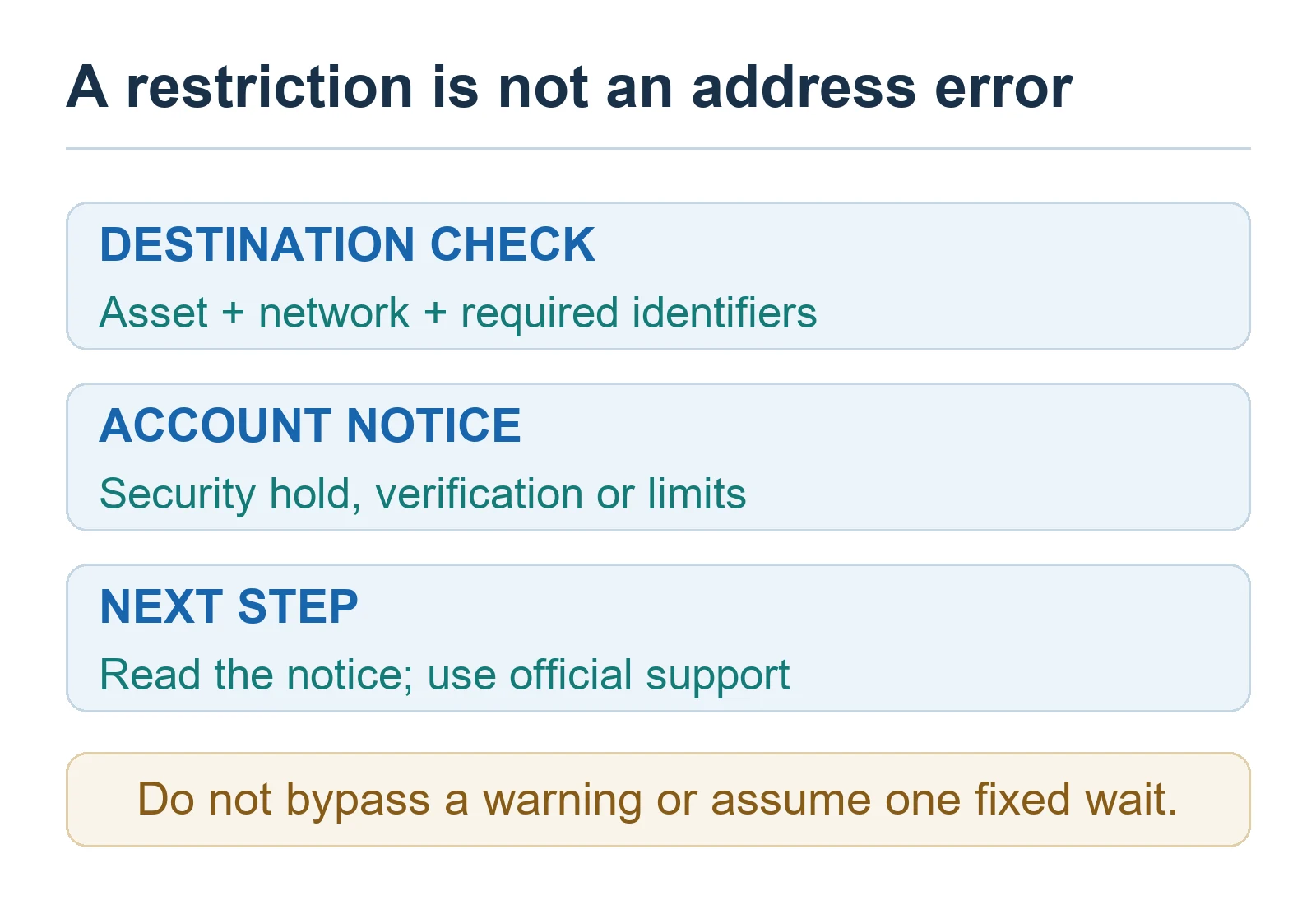
Bitget’s support material says recent password, fund-password, 2FA, email, or phone changes can restrict withdrawals for 24 hours. Its restriction guide separately notes that a newly used device may have a one-hour withdrawal restriction on that device; previously trusted devices are not necessarily subject to the same new-device wait. Unusual activity, network maintenance, insufficient available balance, and an account’s withdrawal limit can also block or delay a request.
Do not use an old universal “no-KYC” or “verified” limit as a promise. Bitget states that withdrawal limits can depend on account and VIP status. Check the current withdrawal page and VIP or fee page while logged in for the applicable limit.
If a deposit or withdrawal is missing
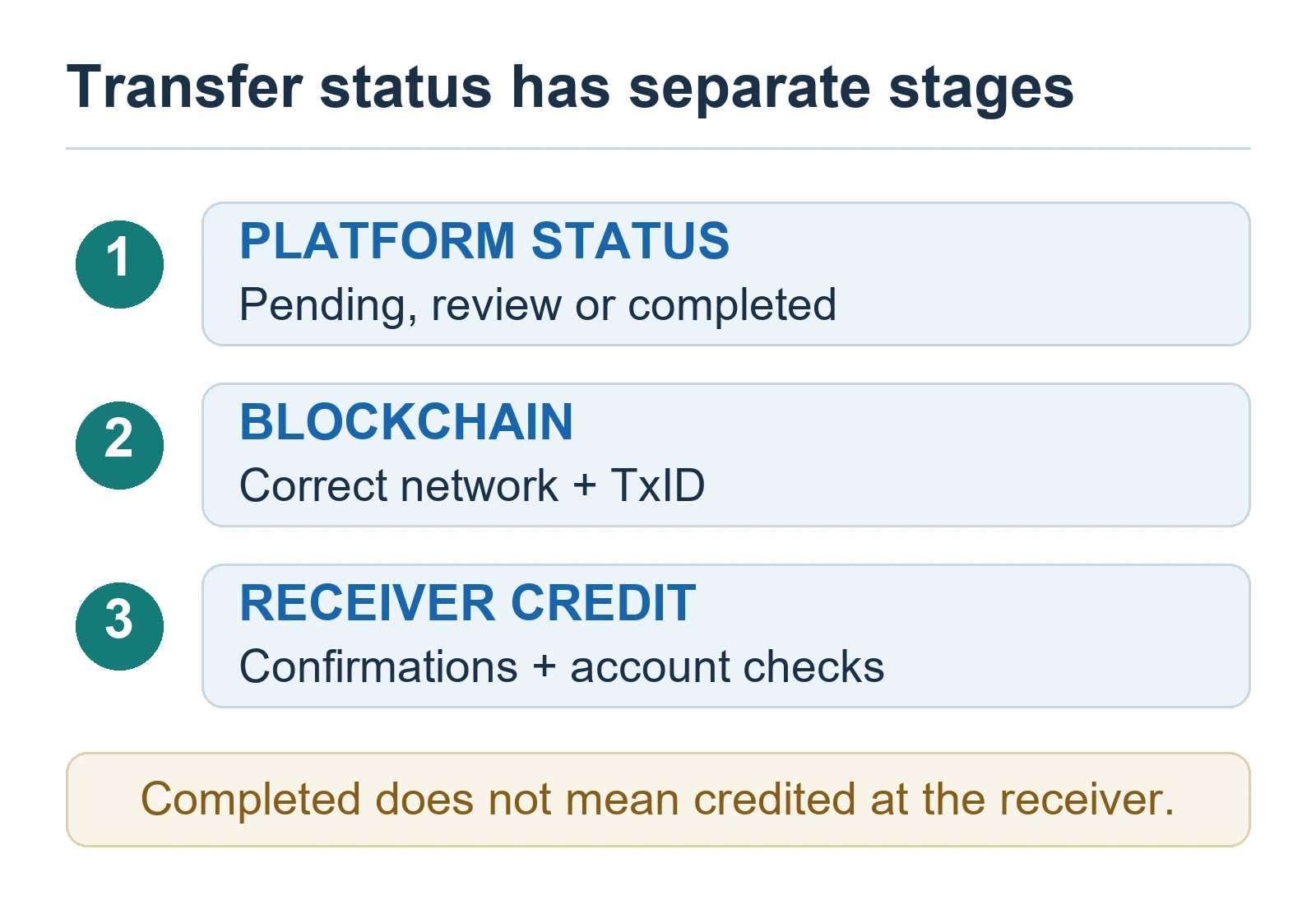
- Confirm the asset, network, address, amount, and any memo/tag against both transaction records.
- Locate the TXID in the sending service’s history and check it on the correct block explorer.
- If the blockchain is still pending, wait for network confirmation rather than resubmitting the same transfer.
- If the blockchain shows success but the recipient has not credited the deposit, contact the receiving platform with the TXID and screenshots from the official history page.
- If the wrong network or a missing memo/tag was used, submit Bitget’s supported recovery or refund request when eligible. Recovery is not guaranteed and may take time.
Frequently asked questions
Does Bitget charge a crypto deposit fee?
Bitget states that it does not charge a platform fee for crypto deposits. The sending wallet or exchange may charge its own withdrawal or blockchain network fee.
Is a Bitget USDT withdrawal permanently free on TON?
Do not assume so. Bitget says withdrawal fees vary by asset, network, and network conditions. Check whether both sides currently support the network and verify the fee shown immediately before confirming.
What does “completed” mean if the funds are not visible?
It can mean Bitget has completed its part and broadcast or processed the transfer. The receiving service may still require confirmations or an internal credit review. Use the TXID to distinguish blockchain progress from recipient-side crediting.
Should I choose the cheapest network?
Only after confirming compatibility. The asset and network must be supported by both the sender and recipient, and any memo/tag must be correct. A small test transfer is often sensible for a new route.
Official Bitget sources
- What Is the Deposit/Withdrawal Fee?
- How to Make a Cryptocurrency Deposit on Bitget
- Why Is My Withdrawal Restricted or Suspended?
- Bitget withdrawal processing and status guide
- How to Request a Refund of an Uncredited Deposit
- Bank Deposit and Withdrawal: Limits, Fees, and Processing Times
Risk notice: Blockchain transfers can be irreversible. Fees, limits, networks, products, and regional access can change, and exchanges involve custody, operational, market, and regulatory risks. This guide is general information, not financial or legal advice.